
Skip the setup.
Start mixing.
Prepare DAW-ready sessions, organise multitracks and get straight to mixing. Helium takes care of the repetitive setup.
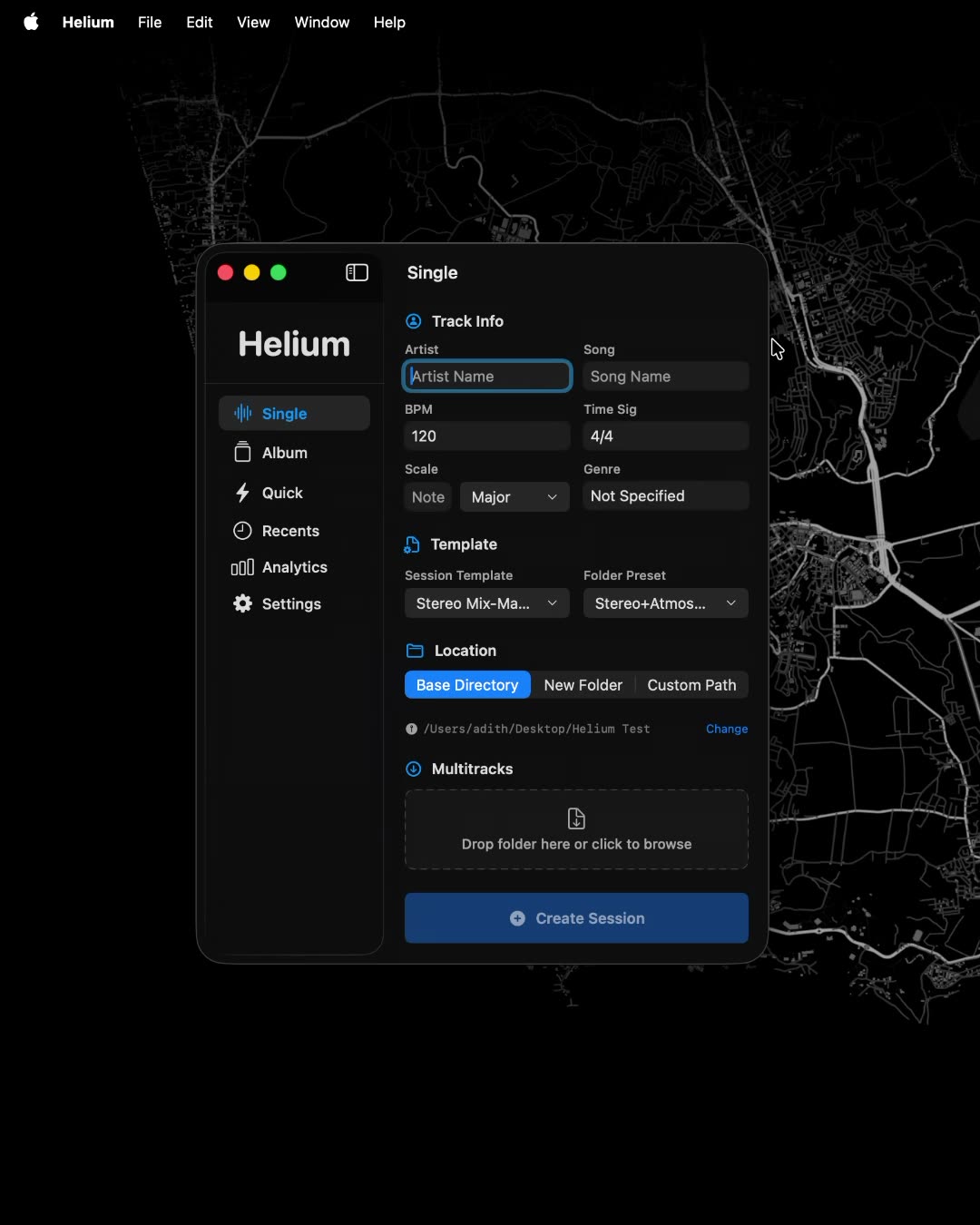
Create sessions, your way.
Set up a DAW-ready project with your song details, template and preferred folder structure.
- Create sessions with metadata.
- Import multitracks.
- Predefined folder structure.
- DAW session created with custom preset.
- Session info file generation.
- Open DAW and session in Finder.
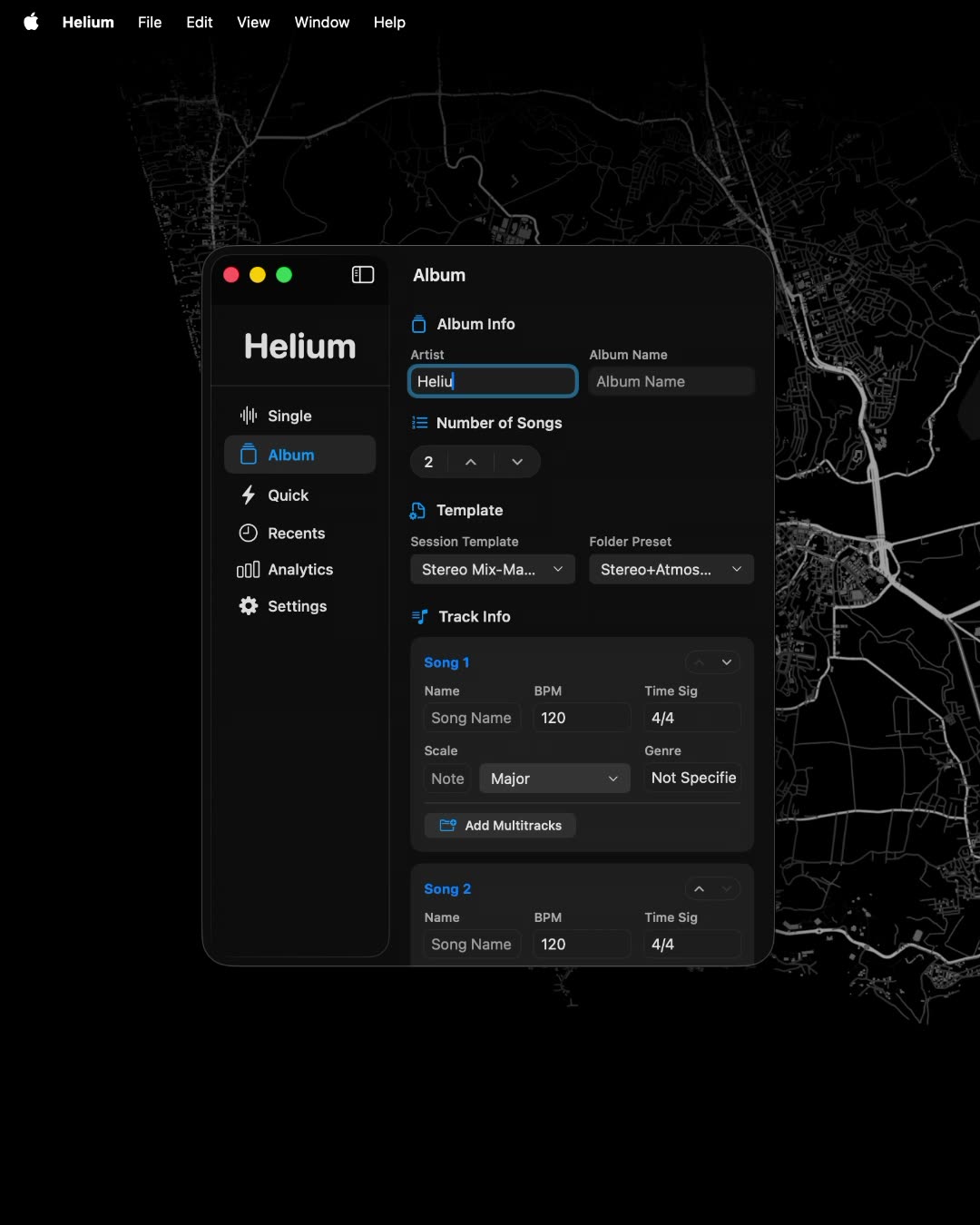
An entire album. One setup.
Create individual, organised sessions for every song in an album.
- Add album name and artist.
- Choose track count.
- Add metadata for each track.
- Reorder tracks.
- Import multitracks.
- Predefined folder structure.
- Session files created with DAW template.
- Session info file for each track.
- Open album in Finder.
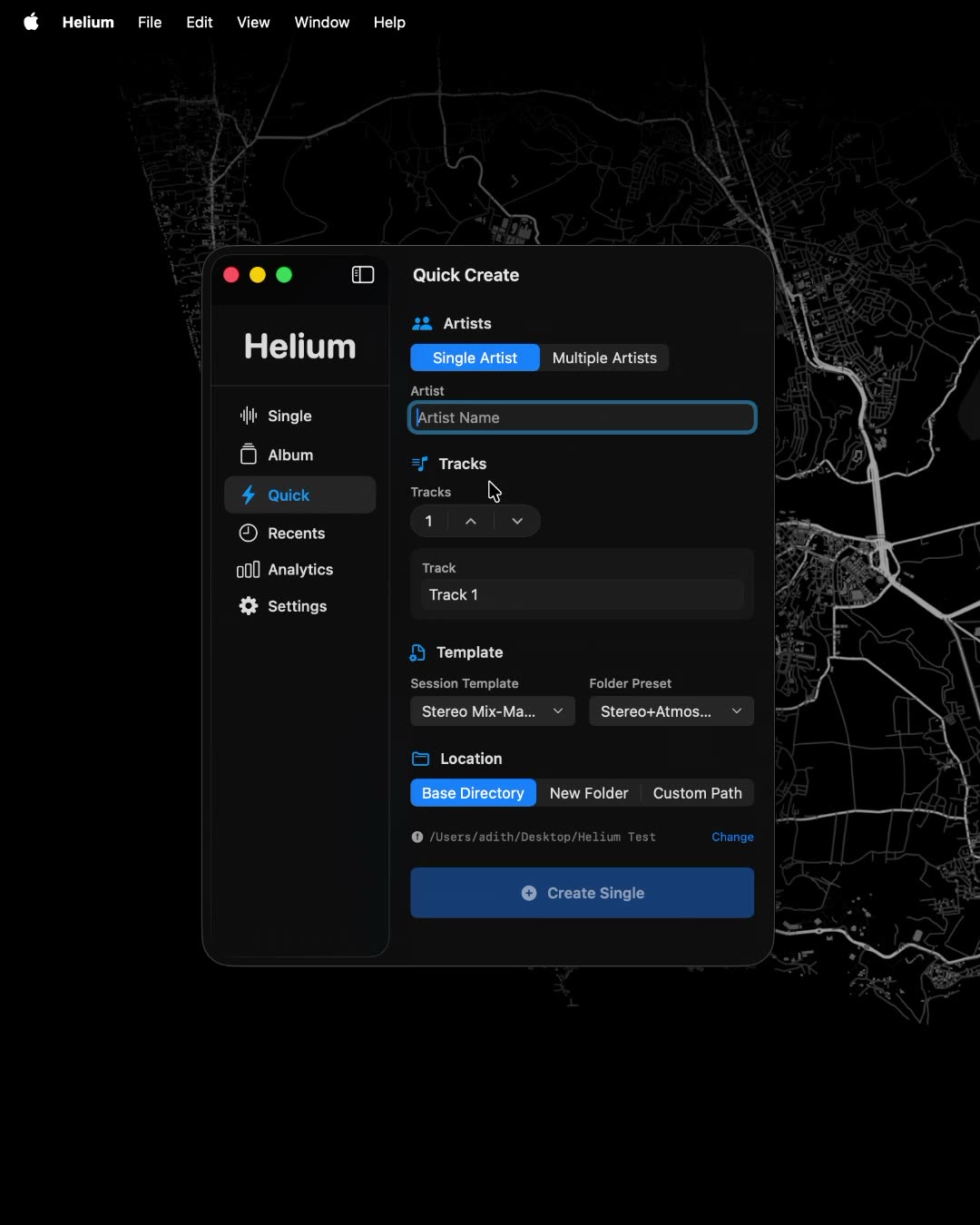
More sessions. Less repetition.
Create multiple sessions quickly using a simple list of artists and track names.
- Enter artist name.
- Select track count.
- Select path.
- Open in Finder.
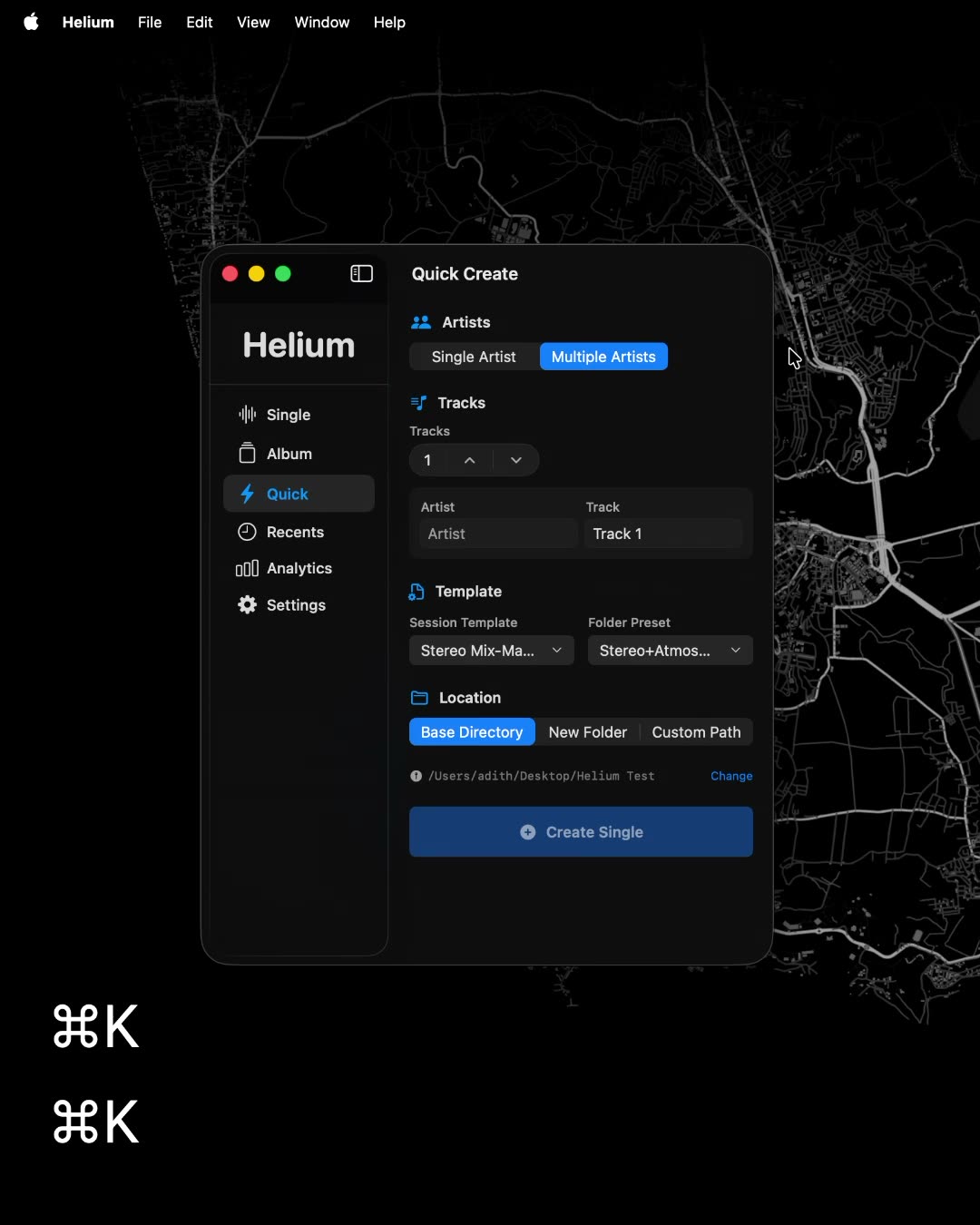
More sessions. Less repetition.
Create multiple sessions quickly using a simple list of artists and track names.
- Select track count.
- Enter artist and track names.
- Select path.
- View in Finder.
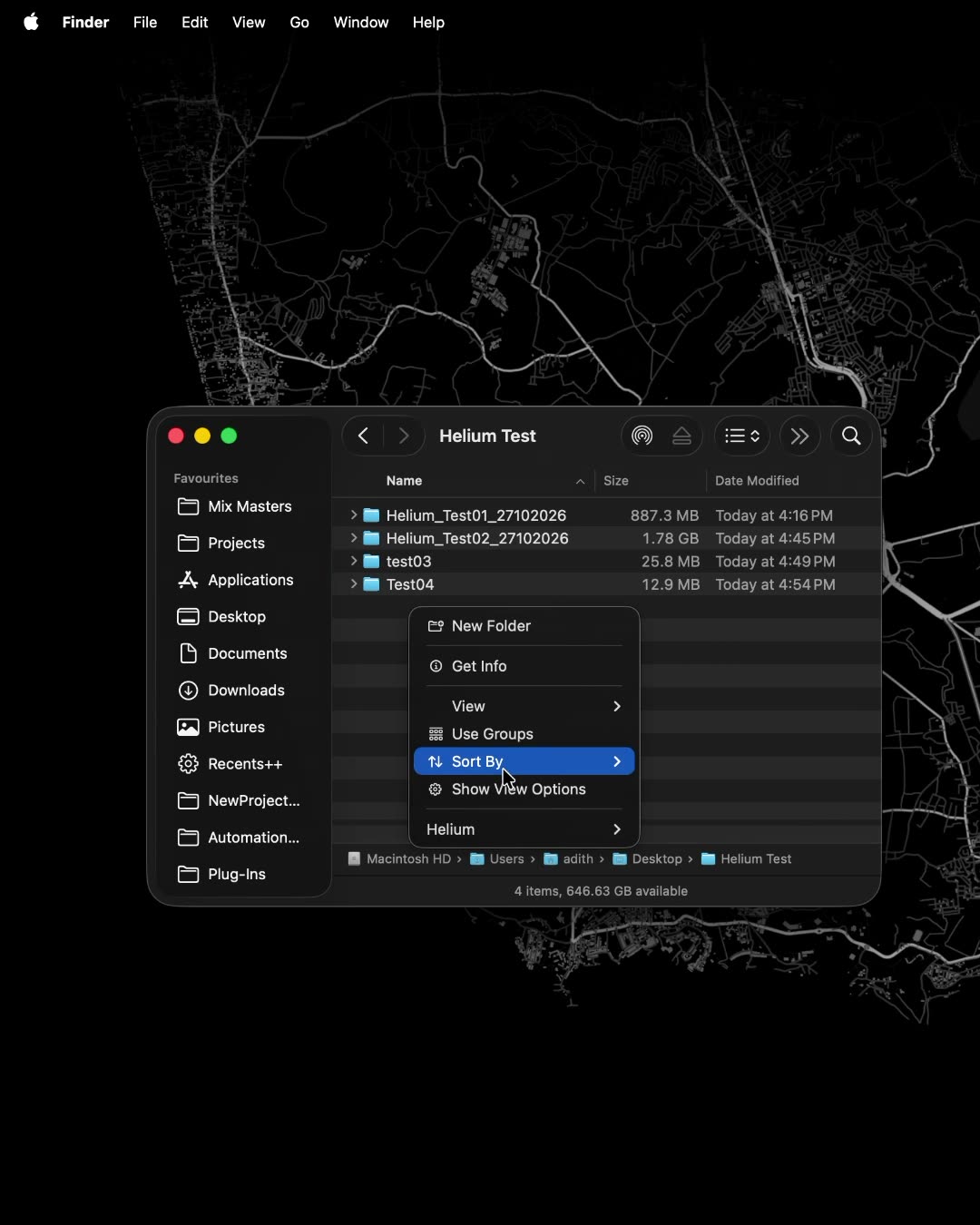
Create directly from Finder.
Start session creation from a folder in macOS Finder, with its location passed straight into Helium.
- Right-click on the desired location.
- Choose mode.
- Continue with creation.
From raw multitracks to organised sessions.
Clean up, arrange and prepare your audio files before sending them to your DAW.
- Automatically detect and clean track names.
- Group, reorder and colour tracks.
- Send organised multitracks to Logic Pro, Cubase and Pro Tools.
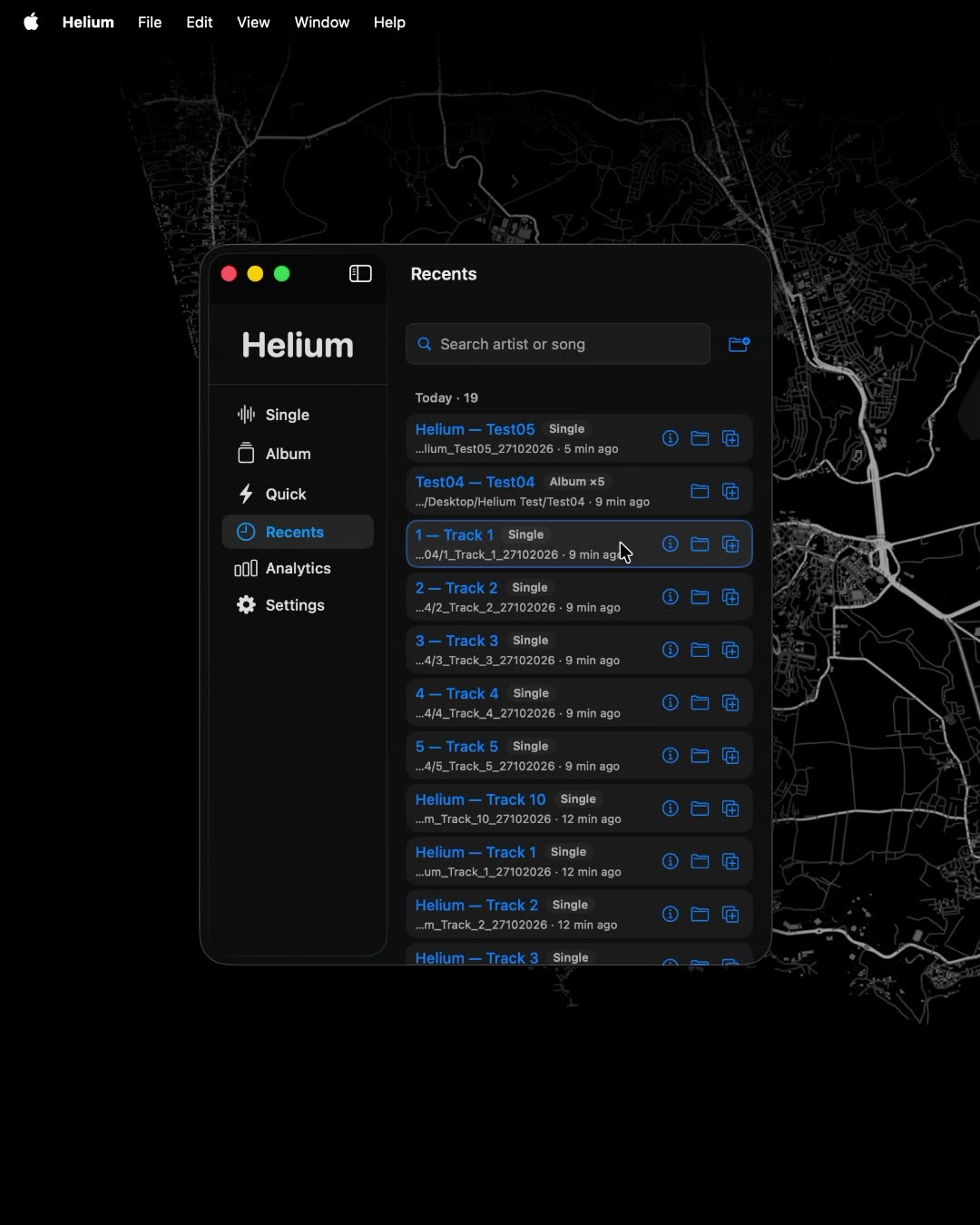
Your sessions, all in one place.
Keep track of your projects and get back to work quickly.
- View/Open recent sessions.
- Open session info.
- Duplicate session.
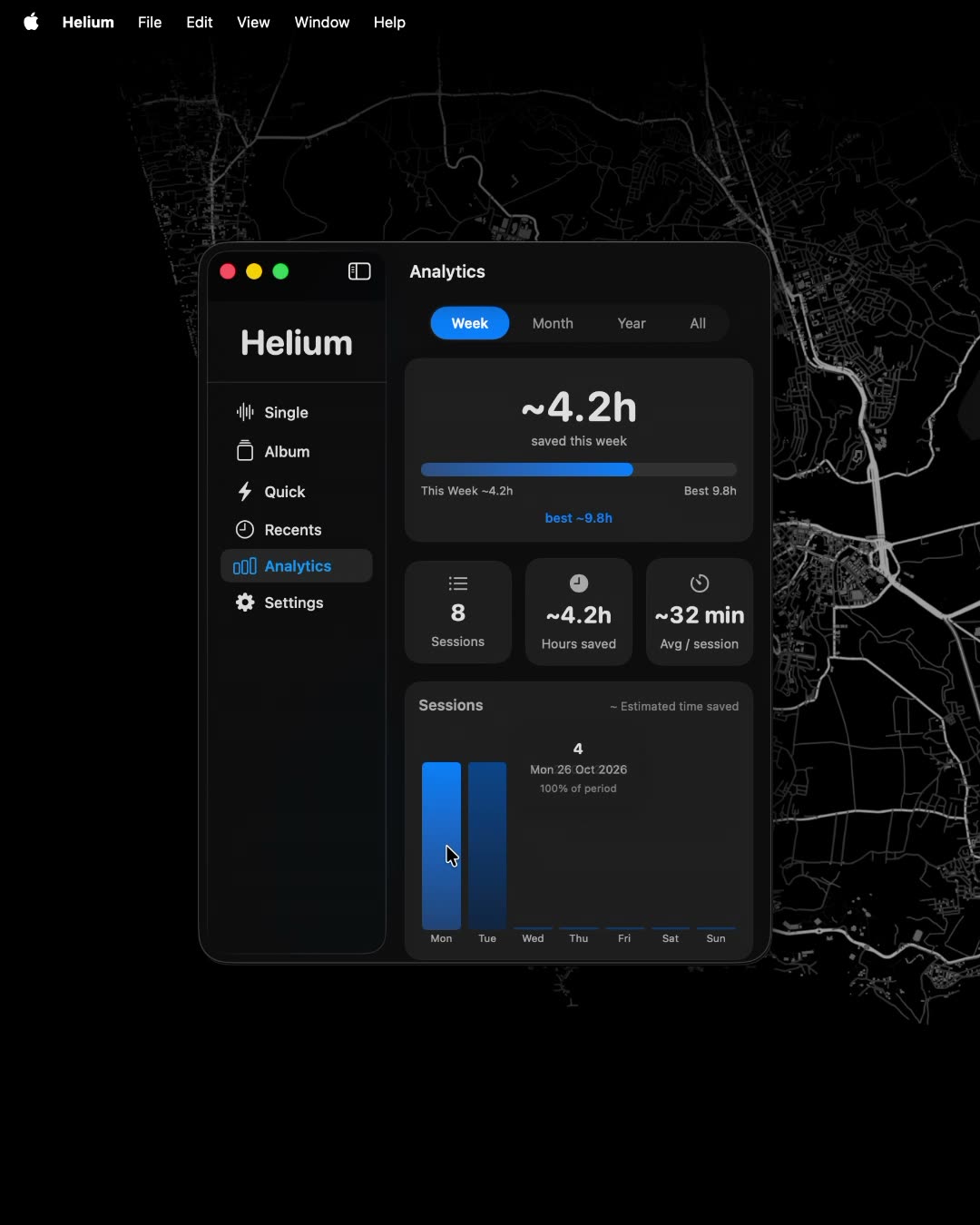
See the time you’re saving.
Get an overview of your session activity and estimated time saved using Helium.
- Week, Month, Year, ALL Time stats.
- Estimated time saved.
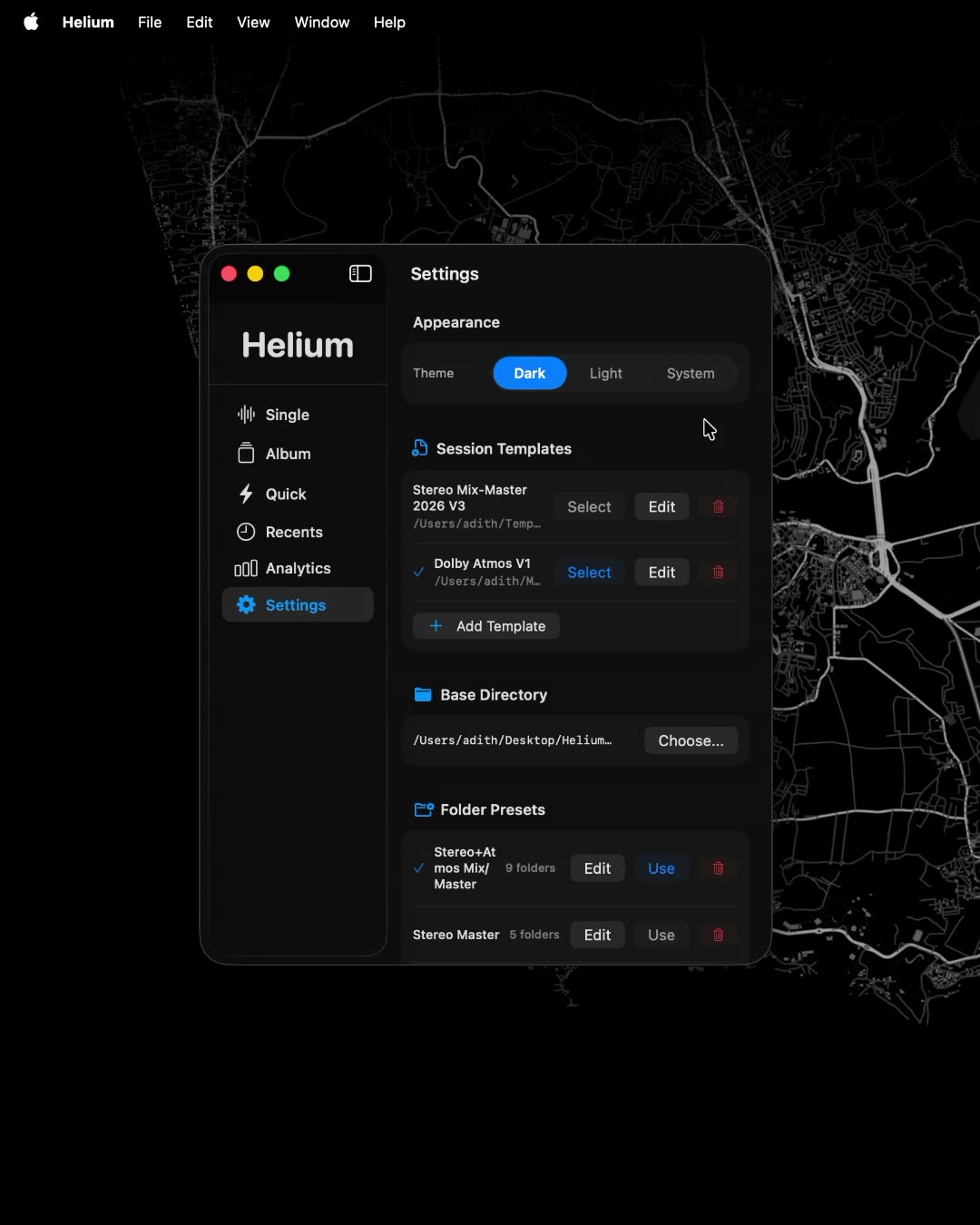
Make Helium work your way.
Configure your workspace, templates and session defaults.
- Manage DAW templates.
- Manage folder presets.
- Select multitrack import mode.
- Enable/disable after-creation actions.
- Enable/disable auto update check.
- Theme picker.
- Dark, Light, Follow System theme.
Helium
Private Beta
Helium is currently in private beta. We're inviting producers and engineers to test and shape the product before launch.
DM @sole.audio to request access.
Helium
One-time purchase.
A lifetime license for one Mac, with free updates within v1. Secure checkout and an instant license key.
Visa, Mastercard, UPI and netbanking via Razorpay.